Table of Contents
FortiClient EMS Initial Configuration
Connect FortiGate to EMS
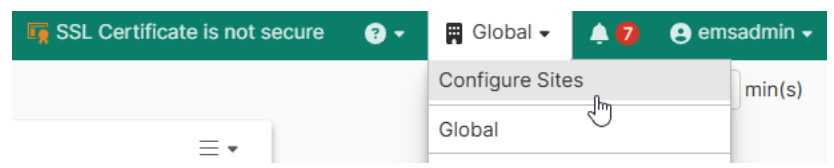
Up the top right, click on the drop-down and then click on Configure Sites:
If you can't see Configure Sites as an option, you may need to click on Global first and then the Configure Sites option will appear.
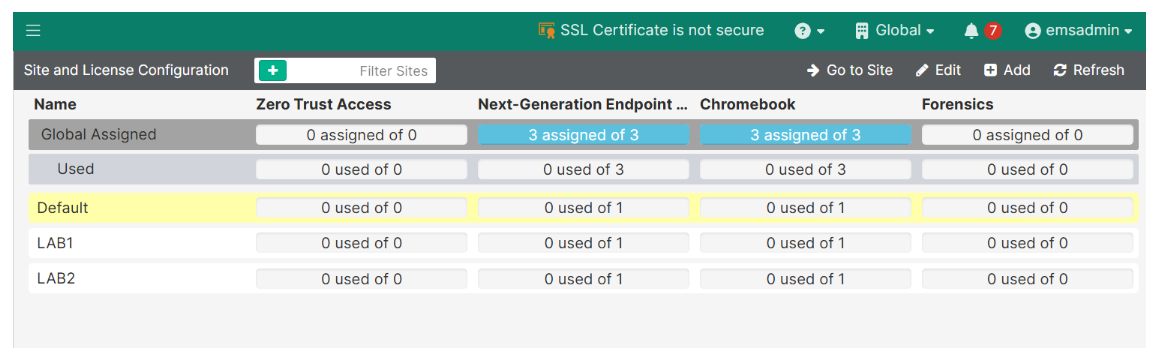
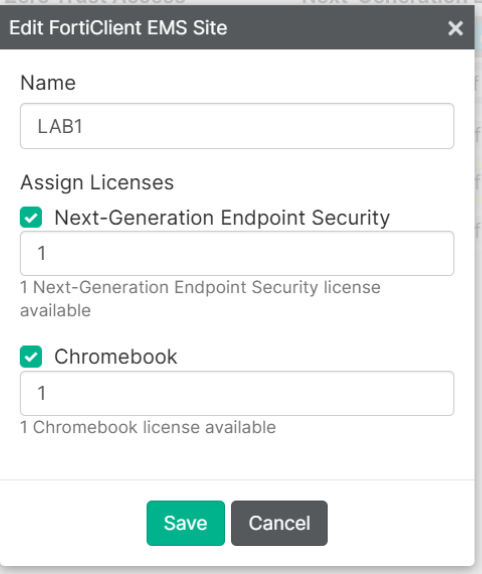
Edit the site which has the licenses assigned. In my instance, there were 3 licenses assigned to the Default site, because I am using the free perpetual trial licenses. Then, reduce the Default site licenses quantity to free up licenses for other sites.
In my lab, I created 2 new sites called LAB1 and LAB2, as you can see below.
When you create a site, you can allocate the licenses to them if there are any licenses not yet allocated to any site.
Here is what the license allocations look like once I assigned a license to each site:
At this point I also referred to: https://docs.fortinet.com/document/fortigate/7.6.5/administration-guide/704318/forticlient-multi-tenancy
FortiClient EMS Initial Configuration
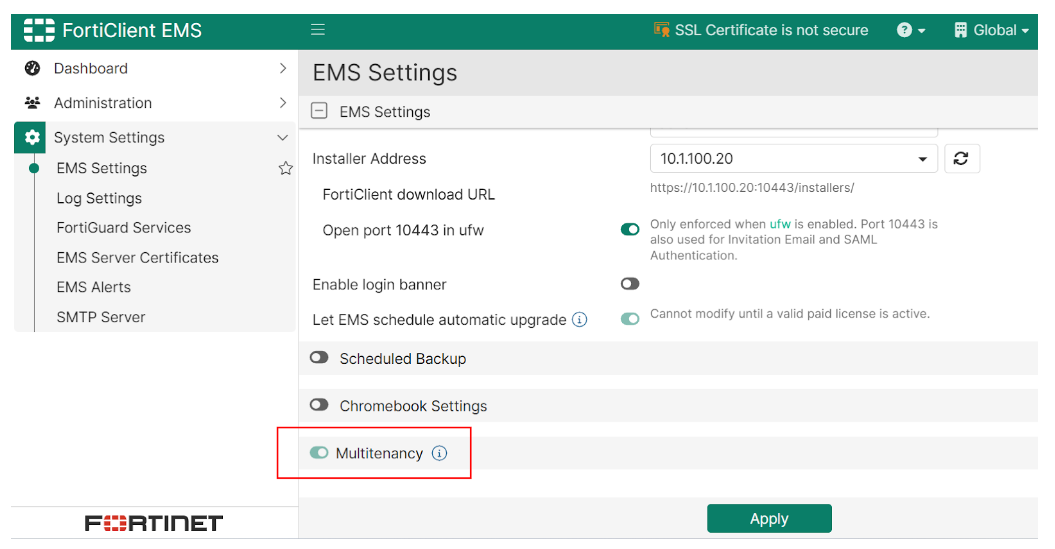
Go to System settings -> EMS settings -> enable the Multi-tenancy button down the bottom:
Connect FortiGate to EMS
My scenario is:
I have one FortiGate (let's call it FortiGate #1) with multiple VDOMs.
I also have another FortiGate firewall (FortiGate #2) which does not have VDOMs enabled.
I want a VDOM on FortiGate #1 to connect to the EMS server and register against an EMS site called LAB1.
Similarly, I want FortiGate #2 to connect to the EMS server and register against site LAB2.
If using VDOMs: Go to each of your VDOMs that you want to connect to FortiEMS and add the below configuration:
config endpoint-control settings
set override enable
end
If you don't do this, the FortiEMS Fabric Connector configuration will be grayed out in the GUI
Add the FortiEMS Fabric Connector, and authorize it
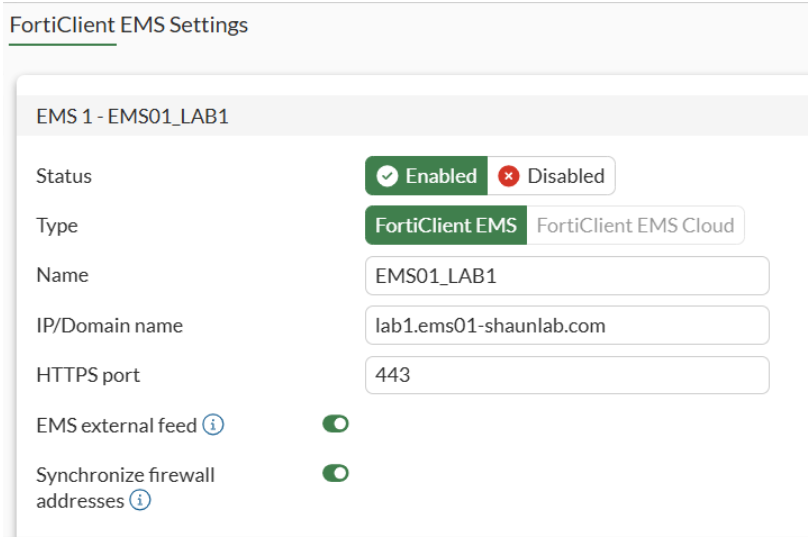
When you are using multitenancy mode on FortiEMS, you must use a FQDN for the "IP/Domain name" when setting up the Fabric Connector on FortiGate. The FQDN needs to have the tenant ID included. In my example, I set up a site called LAB1, therefore the tenant ID is LAB1. So my FortiGate needs to connect to lab1.ems01-shaunlab.com
My "IP/Domain name" to connect to is lab1.ems01-shaunlab.com which resolves to 10.1.100.20 being the EMS server. I had to create a DNS Database entry on the FortiGate for this to work, but you could just set up a public DNS record for it in the real world, assuming the fabric connector will run over the internet.